Navigation Drawer
Navigation Drawer
The navigation drawer is a panel that transitions in from the left edge of the screen and displays the app’s main navigation options.
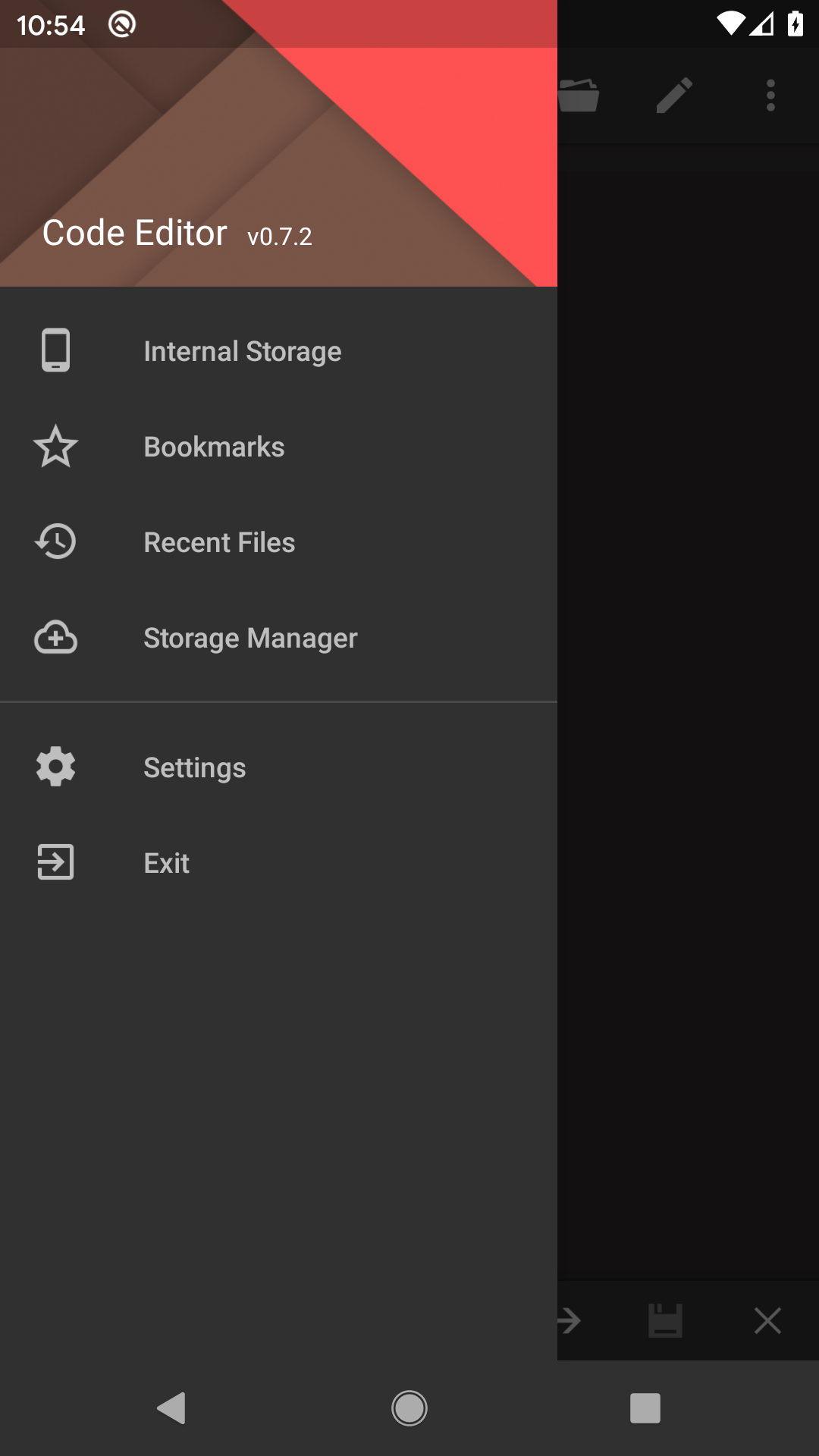
Navigation Options - Files
This category contains file location which can be accessed by Code Editor. It may contain internal storage, SD card, FTP and cloud storage.
| Internal Storage | Open file from device internal storage. |
| SD Card | Open file from external SD card. This item is only visible if device has external SD card. |
| Bookmarks | Open file from bookmarked folders. Please refer to bookmark section for more info. |
| Recent Files | Open file from recent file list. Please refer to recent file section for more info. |
| Storage Manager | Manage storage list. It can add and delete FTP/cloud accounts. Please refer to storage manager section for more info. |
Navigation Options - Others
This category contains following actions:
| Remove Ads | Download Ad-free version from Google Play. |
| Settings | Change default settings for this application. |
| Help | Open help document for this application. |
| Exit | Exit this application. |